
Comprehensive Features of the Uber Clone Driver App
A dedicated driver app is built with essential and modern features to conduct rides and earn efficiently, offering a secure and highly versatile app experience.
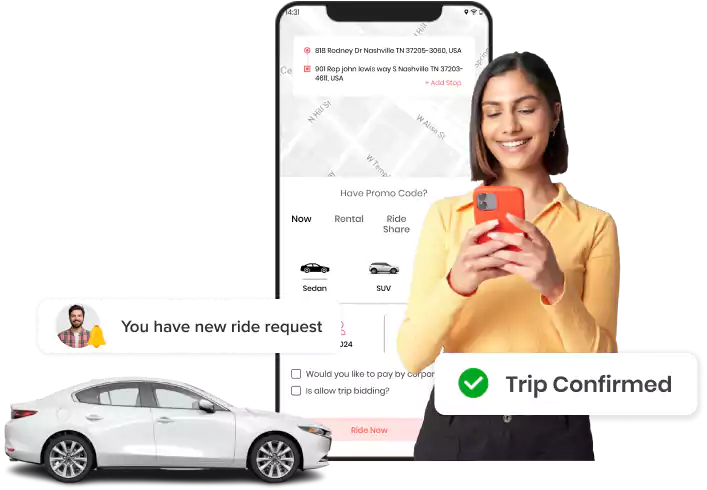
Driver App
Explore 55+ features integrated into the rider app for iOS and Android.

Quick Sign Up
New drivers can register on the app by entering the required details. Or can sign in directly via email, phone number, Google account, or Apple account.

Forgot Password
Drivers can easily recover account access and reset their passwords anytime directly from the driver application or web panel for immediate use.

Upload & Update Documents
Submit required documents, such as driving licenses and ID proofs, for verification and platform compliance, and update them as required.

Add Vehicle & its Documents
Add a new vehicle with all required documents and obtain admin approval to ensure compliance before the driver starts accepting trip requests.

Edit Profile
Drivers can maintain account accuracy by updating personal details like name, email, or contact information within the app at any time.

Share Referral Code
Invite new drivers to join the platform by sharing a unique referral code and earn valuable rewards for every successful signup.

Raise a Support Ticket
Report any technical or operational issues by raising a support ticket directly in the app for swift and efficient problem resolution.

Add Emergency Contacts
Drivers can save multiple emergency contacts from the phonebook, ensuring quick access and safety support during any mid-trip crisis.

Contact Support Team
Connect with the support team directly for urgent operational assistance and immediate help without ever needing to leave the application.

Go Online/Offline
Drivers can use the Go Online/Offline toggle to set real-time availability, instantly starting or stopping the receipt of new trip requests.

Map View of Ride Request
See the pickup and drop-off locations for every new request on a live map, enabling faster, more accurate location identification.

Enable Heat Map Toggle
Drivers can use the heat map to quickly spot high-demand zones, helping them position themselves strategically and maximize their ride opportunities.

Add Going to Home Address
Set a designated home address to ensure you receive compatible trip requests along the route, making the commute productive.

Analyze My Bookings
View all upcoming and pending trip requests in a single location for organized schedule management and efficient workload analysis.

Marketplace Requests
Drivers can view and accept unassigned ride requests from the marketplace to fill scheduling gaps and increase overall booking opportunities.

Live Notifications
Drivers will stay fully informed with real-time alerts for new bookings, important announcements, and updates on any ongoing trip activities.

Purchase Subscription Plans
Drivers can buy subscription plans to immediately unlock access to priority bookings, exclusive features, and other platform benefits.

Create Trip Request
Drivers can create new trip requests on behalf of riders by entering their location details, personal details, and contact information.

View Request Details
Review rider names, locations, distance, estimated time, and payment terms to make informed decisions before accepting a request.

Check Platform Profit
View the platform’s exact profit share displayed clearly with all new requests, ensuring full transparency of drivers’ earnings upfront.

Call Rider Before Accepting
Drivers can contact the rider prior to accepting a request to clarify details, which helps in reducing confusion and preventing cancellations.

Accept Trip Request
Drivers can accept trip requests to speed up allocation and minimize wait time for both riders and drivers.

Trip Cancellation
Cancel a trip when necessary by providing a valid reason, which maintains service records and ensures operational transparency.

View Bid Requests
Drivers get bid requests submitted by riders separately within the app interface for quick evaluation and faster response times.

Accept Bid Request
Accept a rider’s bid offer to begin fare negotiation, working towards establishing a mutually agreed-upon price for the trip.

Place Bid Amount
Drivers can share counterbids for ride requests, which supports dynamic pricing and helps you maximize the potential earnings.

Confirm Bid Request
Confirm the final, agreed-upon bid amount to start the trip immediately, enhancing the overall flexibility of the ride service.

Start Ride with OTP Confirmation
Enter the rider’s unique OTP before starting the ride to successfully verify their identity and prevent any unauthorized trips.

Live Trip Tracking
Monitor crucial real-time trip details, including distance and time, to stay fully updated on the progress of every active ride.

Pause Ride
Pause an active ride as required to accommodate mid-ride stops and ensure that accurate billing is always maintained.

Resume Trip
Seamlessly resume a paused trip to ensure uninterrupted ride tracking and maintain accurate billing without any service disruption.

SOS Button
Instantly alert all saved emergency contacts with the SOS button in any unsafe mid-trip situation to ensure driver safety.

Trip Earnings Breakdown
View a detailed, separate earnings summary after every trip to ensure complete financial transparency for each ride.

Cash Collection Summary
See the exact cash amount to collect from the rider on the post-trip invoice, helping to avoid potential payment confusion.

Trip Invoice/Receipt
Access a detailed trip invoice or receipt immediately after completion for accurate financial reporting and payment reference.

Rate & Review Riders
Drivers can share ratings and reviews for riders following each completed trip to help the platform maintain high service quality standards overall.

View Completed Ride History
Review a history of all completed rides, including full payment details, to ensure real-time operational transparency and maintain accurate records.

Filter Past Trip History
Filter ride history by specific timeframes, including the last 7 days, previous months, current month, last 6 months, or custom date ranges.

Manage In-App Wallet Balance
Drivers can easily add or withdraw their in-app wallet balance anytime via the app or web panel, supporting flexible earnings management.

View In-App Wallet History
Drivers can monitor all in-app wallet transactions and payment activity in a separate screen to ensure complete financial visibility.

Transfer In-App Wallet Balance
Drivers can transfer their in-app wallet balance to other registered drivers or riders for easy and flexible in-app peer-to-peer transactions.

Multiple Payment Modes
Drivers can use various payment methods, including Stripe and PayStack, to add bank cards for payments and receive settlements.

Add Bank Cards
Link multiple bank accounts to receive direct payouts, which greatly simplifies the entire earnings withdrawal and management process.

Scan & Pay
Make instant cashless payments by simply scanning a QR code for faster, secure, contact-free transactions.

View Total Earnings
Analyze comprehensive daily and weekly earning reports, allowing drivers to track performance and improve financial visibility.

Receive Incentives
Earn performance-based rewards and bonuses designed to motivate drivers to consistently deliver high-quality service.

Penalty Charges
Drivers must pay admin-imposed penalties for poor ratings or policy violations to maintain accountability and service standards.

Redeem Reward Points
Drivers can convert their earned reward points directly into a wallet balance for immediate use or to build savings.

Reward Redemption History
Track a history of all reward redemption to improve management and ensure complete financial transparency and clarity.

Select Navigation Map Options
Drivers will get multiple navigation options, such as Apple Maps, Google Maps, Waze, or in-app navigation.

Choose Language
Drivers can choose the app language to the preferred option, ensuring a convenient app experience.

Select Speaking Language
Drivers can set their preferred language in the app to improve communication quality and enhance rider satisfaction.

Change Display Theme
Switch between light and dark display modes to create a more comfortable and personalized viewing experience.

View App Version
Check the installed app version to stay up to date and provide crucial information to support teams for quicker troubleshooting.

Delete Account
Drivers can permanently delete their accounts from the platform, ensuring full data control and strict privacy compliance.

Log Out
Drivers can securely log out of their accounts when the application is not in use to protect access and maintain the security of private data.
Want to build a high-tech product? Check what we can do for you.
Book a Free Call