
Comprehensive List Of Our Uber Clone’s Admin Web Panel Features
Operate your taxi business efficiently and smartly through the admin web panel, which integrates all essential and advanced features.
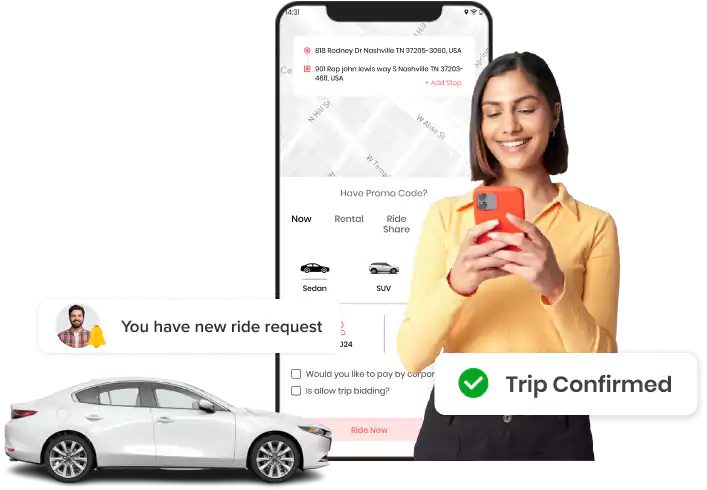
Admin Web Panel
Admins get a 360-degree view of the taxi business and manage it within the dashboard.
Admin Dashboard
Admin can track the entire business data through analytics, statistics, and platform earnings, with advanced filters for better data-driven decision-making.

Exception Monitoring
Monitor unassigned rides, unaccepted requests, and driver-not-found flags in real time to resolve service disruptions very efficiently.

Demand Prediction Map (Add-on)
Admin can use AI-powered demand forecasting tools to optimize driver allocation and service coverage across all active operational regions.

Heat Map View
Identify high-demand zones by country or city to allocate resources strategically and maximize trip opportunities for all your drivers.

Driver Live Map View
Admin can track live driver locations across online and on-trip statuses to assess city-wide coverage and coordinate new assignments efficiently.

EV Hub Map View
Admin can monitor live locations and the operational status of all EV hubs to manage green fleet activities with complete ease and transparency.

Add New Country
Admin can expand into new markets by configuring country-level parameters such as currency, distance unit, phone number length, and rounding rules.

Country Privacy Policy & Terms
Upload country-specific terms and conditions to ensure compliance with local data protection laws and specific regulatory requirements.

Country Tax & Gateway Settings
Configure country taxation, SMS gateways, toll rules, language options, and gender preferences for highly localized daily operations.

Payment Gateway Setup
Choose and configure a country-specific payment gateway from the given options, such as Stripe, Razorpay, or Paystack, for all transactions.

Bank Transfer Setup
Set payout systems for drivers and partners, including payment gateway, transfer types like instant or scheduled, and minimum withdrawal thresholds for users.

Subscription Settings
Admin can manage subscription plans, pricing, renewals, and feature access across the entire platform for all your drivers and business partners.

Set Credit Transfer Rules
Admin can configure wallet transfer permissions for riders, drivers, and partners to support operational adjustments and financial settlements.

Security & Registration Settings
Manage rider, driver, and partner registration, login, and account deletion to ensure secure access across all operating countries.

Reward & Referral Settings
Set up platform-wide reward and referral programs to encourage consistent engagement from both your active riders and your drivers.

Driver Signup Process
Configure the driver onboarding and sign-up process to ensure it fully meets all local compliance and regulatory requirements today.

Add New City
Add new cities under existing countries to seamlessly expand platform operations into fresh markets with localized settings and rules.

Set City Boundaries
Admin can define city operational boundaries and configure zones for businesses with a simple toggle in the admin web panel.

Add Service Zones
Create multiple zones and a heat map within the city map to manage service and pricing accordingly, which leads to structured and controlled ride operations.

Add Red Zone
Create a dedicated ‘red zone’ where the admin chooses not to operate and doesn’t accept any trip requests for safety reasons.

Driver Auto-Offline
Set driver idle time limits using the auto-offline toggle to improve operational accuracy and tracking of available service resources.

Copy City Settings
Duplicate all settings from one city to another to save setup time when launching operations in similar markets.

Business Overview Settings
Get complete visibility into ride types, based on rides and operational configurations, at the city level from the web panel.

Rider Booking Flow Settings
Control the visibility of ride features for riders, managing the flow from trip assignment through to its completion within the web panel.

Bid System Settings
Configure city-level bidding: enable/disable the system, set minimum and maximum bid values, expiry time, and manage rider-driver matching rules.

City-to-City Fixed Pricing
Set fixed fares for intercity trips, which provide daily commuters with a predictable and affordable travel experience.

Select Payment Method
Enable or disable payment methods in each city, such as cash, wallet, payment gateways, etc, based on business, service, and regional requirements.

Driver Penalty Policy
Create and apply driver penalty policies based on cancellation rates, low ratings, late arrival, and booking cancellations.

Driver Incentive Policy
Set up incentive policies for drivers that use criteria such as high ratings and trip milestones to motivate drivers to perform better.

Destination-Based Trip Management
Admin can set driver destination ride preferences, including address radius, blocked zones, and address limitations for better route management.

Basic City Settings
Configure settings, like map-based location selection, stop limits, tip options, and nearby booking controls, for greater flexibility.

Add Vehicle Type
Admin can add new vehicle types, including names, descriptions, vehicle documents, and images, to ensure organized fleet management and clear rider visibility.

Vehicle Visibility Control
Control the visibility of specific vehicle types, ensuring that the feature aligns with operational customization across regions.

Set Sequences for Vehicles
Set the display sequence of vehicle types using numeric prioritization to ensure a structured and clear rider-facing view.

Set Pricing
Define full pricing rules by country, city, ride type, and vehicle type to ensure complete fare control across the platform.

Add EV Vehicles
Register EVs under a hub, categorize by brand and model, and assign them to specific hubs for organized fleet management.

View Registered Rider List
Access the list of all registered riders, including booking history, wallet balance, and status, with options to block, edit, or adjust credits.

View Registered Driver List
Admin can manage all registered drivers, monitor the status of document approvals, and efficiently track pending, approved, or expired verification records.

Add New Driver
Admin can add and onboard new drivers directly from the admin web panel to streamline fleet expansion efforts and improve business operations.

Driver Document Verification
Approve or reject driver-uploaded documents from the panel to ensure compliance with all platform and industry safety standards.

Add Vehicle to Driver
Register vehicles directly to a driver’s account from the admin panel, eliminating the need for driver-side action.

Adjust Driver In-App Wallet Credits
Manually add or deduct in-app wallet credits from a driver’s account to correct payment errors, apply bonuses, or recover advances.

Export Rider & Driver Lists
Download complete rider and driver lists in Excel format for compliance, detailed analysis, and operational reporting.

Add & Manage Dispatcher
Add and manage dispatchers with city-level access to handle ride allocations and provide operational support across zones.

View Registered Dispatcher List
View all registered dispatchers, including contact details, operating country & city, and associated business type.

Add Agency
Register third-party transport agencies as new platform entities to efficiently manage their fleet operations across multiple regions.

View Registered Corporate List
View all registered corporate accounts and manage their platform access permissions by approving, declining, or blocking them.

View Registered Partner List
View all registered partner accounts and manage their platform access permissions by approving, declining, or blocking them.

Add & Manage EV Hubs
Create new EV hubs, assign dedicated managers, and allocate EV drivers to ensure efficient, organized hub-level operations.

Ride Reports
Analyze detailed reports for completed, running, scheduled, and canceled trips to accurately track all operational performance metrics.

Rating & Review Reports
View and analyze all rider and driver feedback using date filters to effectively monitor overall service quality across all trips.

Referral Code Reports
Admin can track referral code usage across both riders and drivers in real time to precisely measure marketing campaign performance.

Booking Reports
Generate complete booking reports (total rides and cancellation rates), filterable by date, city, vehicle type, and driver.

Group Reports
Generate grouped reports showing the platform’s riders, drivers, corporate users, etc., to fully understand engagement patterns.

Tax Reports
Oversee the complete tax reporting process, including export and filtering options, to ensure regulatory compliance across all operating regions.

Driver Earnings
Evaluate complete driver earning details, using filters for specific analysis and export for payroll and operational reporting.

Partner Earnings
Admin can track partner earnings at the country and city level with date filters and export capability for comprehensive income tracking.

Credit Transactions
Analyze all wallet transactions (riders, drivers, corporates, partners), including timestamps and reference IDs, for financial auditing.

Reward Points Management
View and manage reward point balances and transaction history for all users, complete with real-time balance adjustments.

Driver Bank Details
Save and verify driver bank accounts submitted for payouts, with control to update or flag accounts before processing payments.

Withdrawal Request Management
Review and approve or reject driver and partner withdrawal requests based on the current account verification status.

Platform Payment Reports
Analyze all platform-wide transactions across riders, drivers, corporates, and partners in one consolidated view.

Admin Contact Details
Save platform contact details, including phone number, email, and physical address, within the admin web panel for reference and support.

Basic Platform Settings
Configure platform-wide defaults, such as business name, timezone, date format, and default language, that affect all operations.

Authentication Settings
Configure login and authentication methods for each user type, including riders, drivers, dispatchers, corporates, and partners.

Password Policy Settings
Define password requirements, including minimum length and security standards, for all platform users to maintain account safety.

Document Settings
Set document verification requirements for riders, drivers, corporates, and partners, with a simple toggle to enable or disable them.

Map & Location Settings
Configure the map for driver and rider tracking and all location-related settings that affect how locations are fetched and displayed.

Notification Settings
Manage platform-wide notification preferences and ride rules for SMS, email, and push alerts across all user types.

Logo Settings
Manage the platform’s visual brand assets, such as the main logo and app icon, displayed across all panels and applications.

Upload APK Files
Admin can upload driver and rider app APK files directly to facilitate controlled app distribution and version management.

Splash Screen Upload
Admin can upload custom splash-screen images for rider and driver apps to promote services, launch in new markets, or update the brand.

App Theme Settings
Customize the appearance and theme of rider and driver apps for both Android and iOS, all managed from the admin web panel.

Create a Promo Code
Admin can create and manage promotional codes for discounts, special offers, and marketing campaigns to engage riders and drivers.

Add Required Documents
Admin can define and manage required document types for riders, drivers, corporates, and partners, including full history tracking.

Add Cancellation Reasons
Admin can set up cancellation reasons for riders, drivers, corporates, dispatchers, and partners to select when canceling rides.

Accessibility Options
Add accessibility features like wheelchair and baby seat options that drivers can indicate, and riders can filter during booking.

Custom Pricing
Admin can charge riders custom fares based on special requests made during trip booking for flexible and personalized pricing.

FAQ Management
Create and manage FAQs for both riders and drivers to improve self-service support and reduce support queries.

Website Settings
Admin can update the rider’s website content, including meta information, social media links, and contact form settings.

Custom Form Fields
Create dynamic form fields for registrations, onboarding flows, or various operational workflows across the platform.

Add New Languages
Admin can decide to add multiple languages on the platform to enable seamless global business expansion and improve user experience.

Panel String Updates
Update strings displayed across the admin, driver, rider, partner, dispatcher, corporate, and EV hub web panels anytime required.

App String Updates
Admin can update the in-app strings for both the rider and driver mobile apps directly from the admin web panel.

Tooltip Management
Add and manage tooltips by selecting a view type, entering titles, and choosing a language to provide effective contextual user guidance.

Notification Template Management
Create and manage email, SMS, and push notification templates to ensure consistent and effective platform-wide communication.

Driver Subscription Management
Admin can create subscription plans for drivers, specifying the country & city, vehicle type, admin profits, and other parameters.

View Subscription History
Admin can analyze a complete subscription history with statuses such as active, canceled, or expired from within the web panel.

Support Ticket Management
Admin can manage support tickets raised by all users (riders, drivers, partners, dispatchers, corporates), track, assign, and resolve in real-time.

API Log
Admin can track all API requests, responses, and integration logs with date-based filtering for troubleshooting and system monitoring.
Change Log
Admin can view a full history of all updates in the platform, using date-specific filters to support audit trails and accountability.

OTP Activity Log
Admin can monitor all OTP-based requests and verification activities that are processed across the platform’s entire user base.

Send Notifications: SMS, Email & Push
The system automatically sends email, SMS, and push notifications for ride confirmations, trip updates, cancellations, and invoice generation.
Want to build a high-tech product? Check what we can do for you.
Book a Free Call